
Spend Your Crypto Anywhere: MetaMask Card Integration on STRATO
Earn real yield on gold, silver & crypto — live on STRATO.
Launch AppWith STRATO 16.6, your on-chain assets are no longer confined to the blockchain. We've integrated with MetaMask Card, so you can top up your card directly from STRATO and spend your crypto at millions of merchants worldwide — just like a regular debit card.
What is MetaMask Card?
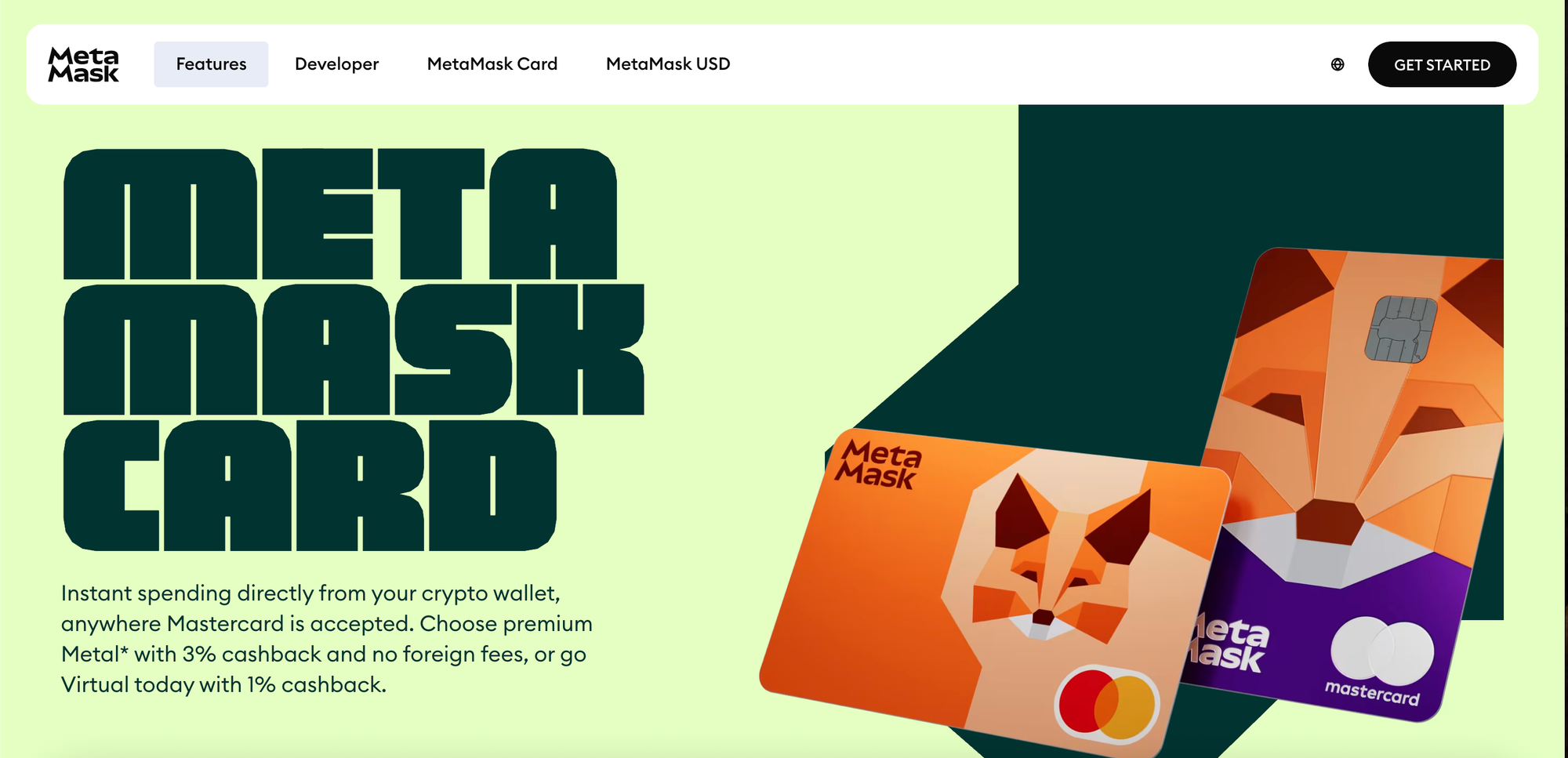
MetaMask Card is a payment card linked to your MetaMask wallet that lets you spend crypto in the real world. It converts your digital assets into fiat at the point of sale, so you can use your holdings for everyday purchases — groceries, coffee, gas, online shopping — anywhere the card is accepted.
STRATO's integration means you can fund your MetaMask Card directly from your STRATO wallet without leaving the platform.
How It Works on STRATO
The integration connects your STRATO account to your MetaMask Card through the MercataBridge infrastructure. Here's what happens under the hood:
- You configure your card — Link your MetaMask Card wallet address to your STRATO account and set your top-up preferences
- STRATO bridges funds — When you top up, STRATO converts your USDST to USDC and bridges it to your card wallet on your chosen network (Linea or Base)
- Your card is funded — The USDC arrives in your card wallet, ready to spend
The entire process is handled through STRATO's bridge routing system — the same infrastructure powering our native stablecoin bridging — so your funds move securely and reliably across chains.
Setting Up Your MetaMask Card
If you don't already have a MetaMask Card, get started at metamask.io/card.
Once you have your card, connecting it to STRATO takes just a few steps:
1. Create a Nickname
Choose a name for your card so it's easy to identify in the STRATO app. This is especially useful if you plan to set up multiple cards.
2. Select Your Card Provider
Pick MetaMask Card as your provider.
3. Choose a Network
Select the blockchain network your MetaMask Card will use:
- Linea — MetaMask's own L2, a natural fit for MetaMask Card
- Base — Coinbase's L2, another popular option
4. Select the Token
The token is currently set to USDC, the most widely accepted stablecoin for card top-ups.
5. Add Your Wallet Address
Enter the Ethereum wallet address connected to your MetaMask Card. This step is critical — make sure the address matches the wallet linked to your card, or the funds won't arrive correctly.
6. Configure Your Top-Up Settings
Set your preferences for how and when your card gets funded:
- Threshold amount — The minimum balance on your card before a top-up is triggered
- Top-up amount — How much USDST to bridge each time a top-up occurs
- Cooldown period — The minimum time between automatic top-ups, to prevent rapid repeated transfers
Once configured, your card is ready to go.
Automatic Top-Ups
One of the most powerful features of this integration is automatic top-ups. Instead of manually funding your card every time the balance runs low, STRATO monitors your card wallet balance and tops it up for you.
Here's how it works:
- STRATO's watcher service periodically checks your card wallet balance on the destination chain
- If the balance drops below your configured threshold and the cooldown period has elapsed, it automatically initiates a top-up
- USDST is pulled from your STRATO wallet, bridged to USDC, and sent to your card wallet
You can also trigger a manual top-up anytime from the Card Top-up page if you need funds immediately.
The Card Top-up page shows the status of any pending top-ups so you always know where your funds are in the bridging process.
Supported Networks & Tokens
| Network | Token | Notes |
|---|---|---|
| Linea | USDC | MetaMask's native L2 — recommended for MetaMask Card |
| Base | USDC | Coinbase's L2 — available on mainnet |
Both networks offer fast finality and low fees, making them ideal for card top-ups. If you're curious what a transaction actually costs in dollars, try our free gwei to USD converter.
What Else is New in STRATO 16.6
MetaMask Card is the headline feature, but STRATO 16.6 is a packed release:
- STRATO is now open source — The full platform is available at github.com/strato-net/strato-platform under the Apache 2.0 license
- Native USDC & USDT bridging — Bridge USDC from Ethereum, Base, and Linea directly to STRATO USDC, and USDT from Ethereum to STRATO USDT — no longer limited to the mint-to-USDST path
- Dynamic bridge routing — Choose your preferred destination when multiple bridge paths exist
- Buy metals — Purchase tokenized precious metals directly on the platform
- Batch UserOperations — Developers can batch multiple operations into a single transaction for lower gas costs
- P256 signature verification — New
verifyP256builtin in SolidVM enables passkey and WebAuthn-compatible authentication on-chain - Simplified Cirrus indexing — The
recordkeyword is no longer required, reducing smart contract boilerplate
Get Started
- Get a MetaMask Card — Sign up at metamask.io/card if you haven't already
- Navigate to Card Top-up — Open the Card Top-up page in the STRATO app
- Configure your card — Follow the setup steps above to link your card
- Fund your card — Top up manually or let auto top-ups handle it
- Spend — Use your MetaMask Card anywhere it's accepted
Questions? Join us on Telegram or check out the full STRATO 16.6 release notes.
Start earning on STRATO
Bridge crypto, borrow against gold and silver, and put your assets to work.
Launch App